
SEEDANCE 2.5 TUTORIAL
How to turn a Seedance 2.5 brief into a reviewable AI video.
This tutorial is for creators and marketing teams who need more than a one-line text-to-video prompt. You will learn how to define the shot, assign roles to reference files, guide motion and audio, and review the result before it becomes a campaign asset.
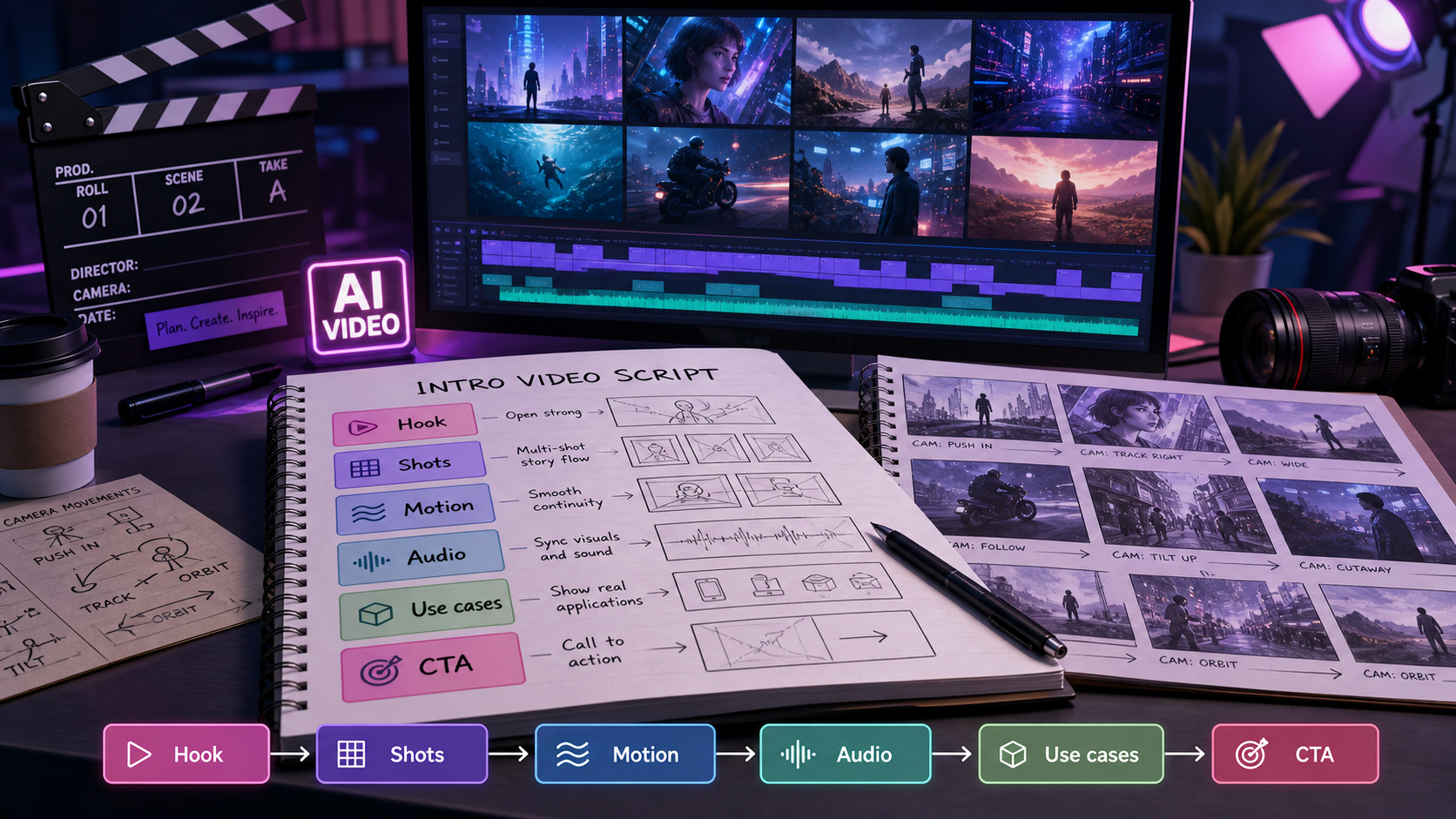
Summary for fast readers
- Start with one video job, not a list of unrelated ideas.
- Tell Seedance 2.5 what each reference controls: product identity, composition, motion, sound, or mood.
- Describe observable shots and transitions instead of abstract adjectives such as “epic” or “viral.”
- Review continuity, product details, audio, text, crop, and the final frame before making variants.
WHAT THIS TUTORIAL SOLVES
A good Seedance 2.5 result begins before generation.
Most weak AI video requests are not missing adjectives. They are missing production decisions. A model cannot reliably infer which image is the product truth, which clip is a motion reference, where the viewer should look, or what the last frame needs to communicate unless the brief says so.
ByteDance's public Seedance 2 materials describe a multimodal workflow that can combine text, images, video, and audio. Treat that as an opportunity to make the brief more legible: give every input a job, keep the first test narrow, and judge the output against the original message.
WHO IT IS FOR
Use this workflow when the clip has a real delivery job.
Product marketers
Plan a launch teaser or feature reveal that keeps the product recognizable while leaving space for headline and CTA text.
Social creators
Turn one idea into a hook, a short story beat, and a final visual payoff that still makes sense without the caption.
Creative teams
Test multiple visual routes from the same brief without losing the audience, promise, or tone.
Editors and reviewers
Use explicit checks for continuity, claims, audio, crop, and brand fit before a generated clip reaches a client or channel.
THE WORKFLOW
Follow seven steps from brief to delivery.
- Write the single job. Choose one outcome: product reveal, problem-solution hook, feature demo, mood film, creator story, or ad concept. If the clip needs to teach, sell, and tell a founder story at once, split it into scenes or variants.
- Lock the campaign spine. Write the audience, one promise, one proof point, and the emotion the viewer should feel. This keeps visual experimentation from changing the message.
- Assign reference roles. Label the uploaded files: “product identity,” “character styling,” “camera movement,” “environment,” “audio mood,” or “composition.” Do not upload a pile of references without explaining the hierarchy.
- Map the scene beats. Use three to five beats: opening context, action or reveal, detail shot, payoff, and final hold. Each beat should describe what changes on screen.
- Prompt the camera and sound. Add the camera path, shot size, lighting transition, motion speed, audio rhythm, and any dialogue or sound effect direction. Keep the language observable.
- Generate a proof clip. Review the smallest useful test before asking for a full asset pack. Look for subject identity, continuity, motion, pacing, and the final frame.
- Expand only the winning route. Derive vertical, square, or landscape variants, then pair the video with a thumbnail, caption, music note, and ad copy that use the same campaign spine.
REFERENCE DESIGN
Make every input answer a different production question.
| Input | Give it this role | Review question |
|---|---|---|
| Text brief | Audience, promise, action, channel, and ending frame. | Can a reviewer explain what the clip is trying to do in one sentence? |
| Product or character image | Identity, key details, palette, wardrobe, or shape. | Does the subject remain recognizable across shots? |
| Video reference | Camera path, timing, transition, or movement language. | Does the new scene borrow motion without copying the wrong subject? |
| Audio reference or direction | Tempo, energy, ambience, or emotional rhythm. | Does the sound support the cut and the intended platform? |
PROMPT TEMPLATE
Use a short production brief before adding stylistic detail.
Goal: create a 20-second vertical launch teaser for [product] aimed at [audience]. Core promise: [promise]. Use reference image 1 for the product's shape, color, and label; use reference video 2 only for the smooth forward camera move; use audio reference 3 for a restrained, optimistic rhythm. Scene beats: 1) [opening context], 2) [product enters or action begins], 3) [close detail that proves the promise], 4) [clean final hold]. Camera: [shot size and movement]. Lighting: [lighting change]. Keep [identity/character/product detail] consistent. Avoid extra logos, unreadable text, sudden style changes, and objects not in the brief. End with clean negative space for [headline or CTA].
Create a short product reveal for a reusable travel bottle. Shot 1: early-morning commuter desk, the closed bottle beside a notebook, slow push-in. Shot 2: close-up of the lid opening and a clean pour, realistic water motion, camera tracks right. Shot 3: bottle in a tote beside the train window, gentle handheld movement, final two-second hold with empty space on the left for a headline. Keep the bottle's teal body, black lid, and label proportions consistent across all shots. Calm, useful, premium mood; no extra brand marks.
BAD VS BETTER
Replace vague mood words with decisions the viewer can see.
| Weak prompt | Better prompt | Why it is stronger |
|---|---|---|
| Make a cinematic viral video for my product. | Create a 15-second vertical product reveal. Open on a crowded desk, push slowly toward the product, cut to one functional detail, then hold on a clean hero frame with headline space. | It defines the job, duration, sequence, movement, and delivery need. |
| Use these references and make it look premium. | Use image 1 for product identity, video 2 for camera movement, and audio 3 for pacing. Keep the product shape and label unchanged; use soft side light and a restrained final hold. | It tells the model which input controls which decision. |
| Make the character consistent. | Keep the same short dark hair, yellow jacket, silver backpack, and left-cheek mark in every shot; do not introduce a second outfit or change the backpack color. | Continuity becomes a list of observable invariants. |
CONTINUITY AND EDITING
Use the first clip as a test of continuity, not as the final answer.
For a multi-shot sequence, check the subject at the cut points: silhouette, color, accessories, product label, hand position, and screen direction. If one shot fails, rewrite that shot instead of adding more adjectives to the whole prompt. A targeted repair usually gives the reviewer a clearer cause-and-effect trail.
Public Seedance materials also describe extend and edit-style workflows. Use them deliberately: extend only when the story needs more time, and edit only the variable that is wrong. Preserve the product or character reference, then change the background, camera move, or final frame in a separate pass.
For related prompt patterns, compare this tutorial with the Seedance 2.5 prompt guide and the multimodal Seedance 2 workflow.
DELIVERY CHECKLIST
Review the clip as a campaign asset.
Story
Is the audience problem or product promise understandable without a long explanation?
Continuity
Do the subject, product details, lighting, screen direction, and action survive each cut?
Audio
Does the rhythm support the edit? Are dialogue, sound effects, and music notes clearly separated?
Text and crop
Is the final frame readable in the intended aspect ratio, with safe space for captions or CTA text?
Claims
Does the video imply a result, performance, or feature that the brief and product evidence support?
Rights
Have you checked source-image permissions, music terms, likeness, and the current commercial-use rules?
COMMON MISTAKES
Fix the brief before blaming the model.
One prompt, five jobs
Split hook, reveal, explanation, testimonial, and CTA into separate routes or scenes.
Reference overload
Fewer references with explicit roles are easier to review than a collage of conflicting instructions.
Abstract camera language
Replace “dynamic” with a shot size, path, speed, and start or end position.
No proof pass
Do not scale a broken first shot into ten variants. Repair the direction, then expand.
FAQ
Seedance 2.5 questions creators ask before production.
Is Seedance 2.5 only a text-to-video tool?
No. Public ByteDance materials describe a multimodal workflow with text, image, video, and audio inputs. The practical value is not simply having more inputs; it is assigning each one a clear production role.
Should I write one long prompt for a 30-second story?
Start with a short scene map and a proof clip. If the story needs multiple beats, describe each beat and the continuity rules rather than filling one paragraph with decorative adjectives.
How do I keep a product consistent?
Use a clean product reference, name the details that cannot change, and review the product at every cut. If only the background is wrong, edit the background instead of regenerating every variable.
Can I use Seedance 2.5 for paid advertising?
You can plan ad concepts with this workflow, but confirm current model access, output settings, rights, platform rules, and commercial-use terms before publishing a paid asset.
PRACTICE THE ROUTE
Turn one brief into a connected video asset pack.
Bring a single audience, promise, reference image, and platform goal into ChatArt Pro. Test the hero clip first, then build the thumbnail, caption, music direction, and ad variants from the same approved route.